What's New?
November 9, 2026: Extension 2.3.0 — AI dual subtitles powered by Claude
Extension
- With Premium, dual subtitles are now translated by Claude, Anthropic's AI. It reads the surrounding lines, so sentences split across two lines, idioms and the right level of formality come out naturally.
- It works on YouTube, Netflix, Prime Video, Disney+ and HBO Max, and also in videos in the learning center and in the mobile app.
- While a line is being translated, you'll see “Loading AI translation”.
November 7, 2026: Any language, a bigger word card and instant translations
Extension
- Any language - Translate, save and practice words in all 68 languages.
- Bigger word card - More fits on the card, and it no longer covers the subtitles.
- Fixes - Saving from the translation line, Chinese level examples and the collapsed YouTube panel now work as expected.
Learning center
- Instant translations - Hover over a word and its translation is already there.
- 68 languages - Learn and practice any of 68 languages on the web too.
November 6, 2026: Subtitle picker, faster translations and more
Extension
- Subtitle picker - Hover over the Lingosive button in the video player to switch the video's subtitles to another language, including YouTube's auto-translated subtitles.
- Faster translations - When you hover over a word in the subtitles, its translation now appears 95% faster.
- Automatic subtitles - On Prime Video, Disney+ and HBO Max, subtitles in the language you're learning are now selected automatically, just like on YouTube and Netflix.
- Your language, translated - When you watch with subtitles in your native language, a translation in the language you're learning now appears below them.
- More languages - You can now choose from 68 languages to learn.
- Fixes - Subtitles no longer stay in the old language after a switch, ads on HBO Max no longer replace the episode's subtitles, and the subtitle buttons on YouTube are no longer hidden behind the channel logo.
November 2, 2026: HBO Max works again
Extension
- HBO Max - HBO Max moved its player to a new address, so Lingosive's interactive subtitles stopped working there. Now they work again.
- Sign-in - Fixed some cases where the extension could sign you out unexpectedly.
October 28, 2026: Lingosive 2.1
Extension
- Grammar on the word card - Verb forms, noun gender and articles at a glance (English, Spanish, French, German, Italian, Portuguese). Click “Why … in this sentence?” and Lingosive AI explains the grammar in your native language.
- Expressions, not just words - Idioms, phrasal verbs and set phrases are now translated as a whole, in subtitles and on any website — in 13 languages, no longer English only.
- Save expressions, too - Save “hang out”, not just “hang”, right from the word card, in videos and on any website. The expression joins your saved words and, in languages with practice, comes back in review.
- Prime Video on Amazon - Lingosive now also works when you watch Prime Video on amazon.com, amazon.co.uk, amazon.de and amazon.co.jp.
- Steadier on all five platforms - On YouTube, Netflix, Disney+, HBO Max and Prime Video, subtitles now stay in sync more reliably when episodes or videos change and after ad breaks.
September 29, 2026: The Learning Center
Lingosive is no longer just an extension. There is a new learning center on lingosive.com that runs on the same account as the extension: watch, save and review — right in your browser, nothing to install.
Learning center
- Videos with dual subtitles - Series and movie clips, podcasts, interviews and more; browse by category, channel or search. Tap any word in the subtitle, replay a line, follow along in the transcript.
- Each video's word list - See the video's words against your level before you watch, and track how many you already know.
- Word in film - Search any word and watch how it's used in real movie, series and interview scenes.
- Saved words - All your words in one place: status, categories, notes and bulk editing.
- Smart review (FSRS) - Words come back right before you'd forget them. Meaning, typing and listening questions, with real video scenes for every word.
- Lingosive AI - Tap a word to get an explanation in context and synonyms; keep the ones you like as notes.
- On every screen - A sidebar on desktop, bottom tabs on your phone; light and dark theme.
Works with the extension
- One account, one word list - Words you save in the extension are waiting in the learning center, and changes on one side show up on the other.
- From the word card to real scenes - The extension's "Film scenes for this word" button now opens that word's scenes right in the learning center.
August 14, 2026: Lingosive 2.0
New
- A brand-new, modern interface - Panels, dialogs and cards have all been redrawn from scratch: larger and more legible type, a consistent colour system, roomier layouts and smooth transitions throughout.
- A floating button on every site - One draggable button opens the new side panel anywhere on the web. The menu under it can hide the button for a while, on that one site, or for good.
- Light and dark theme - Follows your system by default; switch it any time in Settings.
- Subtitle font - Five typefaces with a live preview, applied to the subtitle layer only.
- Your own highlight colours - Pick the colours for learning, known and above-level words.
- The panel shortcut is yours now - Change it inside the extension's settings instead of Chrome's shortcuts page.
Improved
- Word card and translation card - Faster, positioned correctly even in fullscreen, and readable in both themes.
- The reading line hides in your own language - Romaji and pinyin no longer clutter the subtitle when you already read the script.
- Cleaner separation from the pages you visit - The extension no longer leaks styles into the page, and a site's CSS can no longer break the extension's own interface.
Fixed
- Being signed out for no reason - A network hiccup or an idle browser could log you out. Only a real rejection from the server does now.
- Prime Video and Disney+ players - Both rewrote their player this summer. Subtitle capture, the control icon and language switching all work again.
- Mixed-language transcript on Disney+ - Changing the subtitle language mid-episode no longer blends two languages together.
- Right-to-left subtitles - Arabic, Hebrew, Persian and Urdu sentences were drawn in reverse order.
- Word lookup in Devanagari, Thai and Arabic - Combining marks were being stripped, so the dictionary quietly returned nothing.
- Japanese and Chinese spacing - Text was spread far wider than it should be.
- Interface language on regional locales - pt-BR, en-US and the like fell back to English even when a translation existed.
Changed
- Chrome 111 or newer is required - The new subtitle capture for Prime Video and Disney+ relies on a browser capability introduced in Chrome 111. Older browsers keep working with the previous release.
April 28, 2026: Side Panel on All Platforms
Extension
- Side panel on all platforms - The side panel is now available next to the video on Netflix, HBO Max, Disney+, and Prime Video, not just YouTube. You can view the transcript, video words, and your saved words in one place.
- Cleaner focus while translating - The playback bar no longer appears when moving the mouse during word translation. Move the cursor to the bottom to reveal it again, or disable this behavior in Settings.
- Bug fixes and performance improvements
April 1, 2026: AI Word Explanations + Major Mobile Update
Extension
- AI word explanations: When you click a word, you now see its meaning based on the clicked sentence.
- Bug fixes and small improvements.
Mobile
- AI word explanations: When you click a word, you now see its meaning based on the clicked sentence.
- 15,000+ books added: Read in EN, ES, DE, FR, IT, PT, JA. Enjoy smart color-coding: Green (Known), Blue (Learning), Orange (Target). Filter by author or category.
- Full-screen video mode: Immersive viewing with dual subtitles and click-to-translate.
- New Learning Center: Master vocabulary with dozens of curated categories.
- Weekly analytics: Track pages read, practice time, and saved words on your dashboard.
- Bug fixes and performance improvements.
Level Up Your Language Learning! 🚀
Extension: These features are currently available only on our Browser Extension.
New Learning Modes
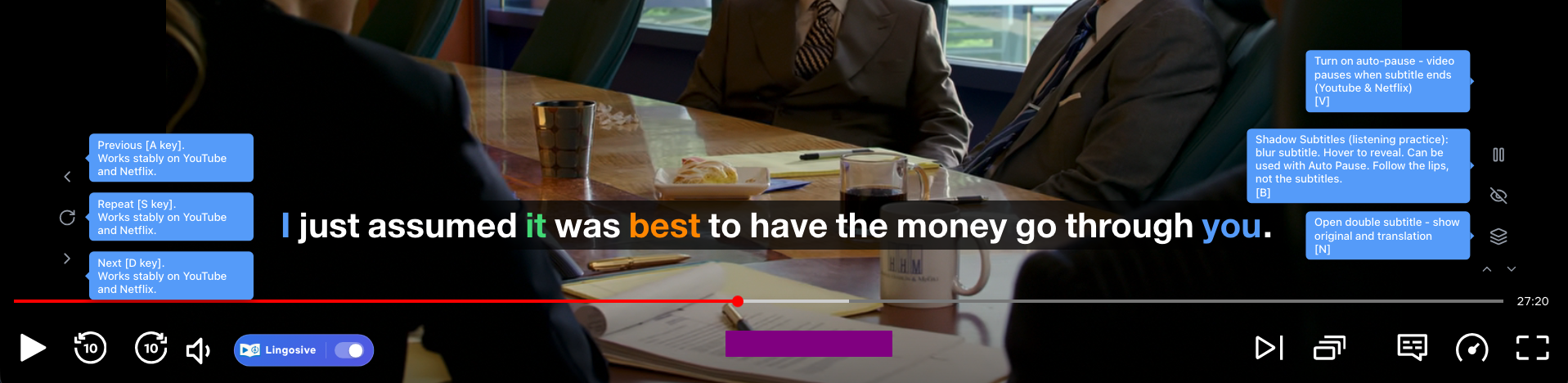
- Auto Pause - No more rushing! The video automatically pauses at the end of every subtitle so you can understand each sentence at your own pace. (Works on YouTube & Netflix)
- Shadow Subtitles - Test your listening skills! Subtitles stay hidden until you hover over them with your mouse.
- Pro Tip - Use it with Auto Pause! If you replay a sentence, the video will play slower to help you catch every word.
Better Platform Support
- We fixed 99% of the issues on HBO Max, Disney+, and Prime Video.
- You can now enjoy Dual Subtitles and Shadow Mode smoothly on these platforms.
Your Subtitles, Your Way
- We added tons of new customization options. You can now adjust:
- Font size and opacity.
- Vertical position of subtitles.
- Word hover and blur durations.
Full Shortcut Control
- You can now customize all controls for every platform.
- Set your own keys to navigate through previous, current, and next subtitles, or toggle Shadow Mode, Auto Pause, and Dual Subtitles.
- You can even create platform-specific shortcuts!
Redesigned Selection Card
- Our "Select to Translate" feature just got a huge upgrade! When you select text on any website, you'll now see:
- Film Scene Finder - See how the word is used in movies.
- Word Difficulty & Sentence Examples.
- Advanced Saving - Save words directly to your lists.
- Don't need it? You can easily disable this feature in the settings.
Updates & Improvements
Chrome Extension
- Subtitle Coloring - Subtitles are now color-coded: known words (green), learning words (blue), and recommended words for your level (orange).
- Word Search - Find scenes in movies, series, and podcasts where a specific word appears.
- Advanced Video Vocabulary - A better interface to view all words in the video you are watching.
- Learning Center Removed - Replaced by a better alternative: the Advanced Learning Center in the Mobile App.
- Root Word Finder - Now supports finding word roots in 5 languages (English, French, Japanese, Spanish, German).
- Phrasal Verbs Support - Replaced separate translations (e.g., "look" and "after") with phrasal verb detection (e.g., "look after") for better accuracy. (English only)
- Phonetic Reading - Pronunciation in Latin characters is now displayed for Japanese, Simplified Chinese, and Traditional Chinese.
- Bug Fixes & Minor Improvements
Mobile App
- 50 Million Video Contexts - The biggest update yet! Find word usage scenes in movies, series, podcasts, and talk shows across 5 languages (English, French, Spanish, Japanese, German).
- Advanced Learning - Practice vocabulary with natural speech using video scenes from Video Contexts.
- Phrasal Verbs Support - Improved translation by detecting phrasal verbs (e.g., "look after") instead of separate words. (English only)
- Phonetic Reading - Pronunciation in Latin characters is now displayed for Japanese, Simplified Chinese, and Traditional Chinese.
- German & Japanese Video Support - Expanded video library support.
- More Content - Added over 400,000 videos and more categories for all supported practice languages (English, French, Spanish, Japanese, German).
- Word Search - Find movies, series, and podcast scenes where a word is used.
- Subtitle Coloring - Subtitles are now color-coded: known (green), learning (blue), and recommended (orange).
- Saved Words - Improved interface and filtering for saved words.
We Have a New Name!
Language Lab is now Lingosive! Same great extension, fresh new identity. Thank you for being part of our journey.
Android app is now available!
The Android version has been released. Explore the brand new mobile experience and enjoy learning languages on the go with dual subtitles, instant translations, and much more.
Hbo max support
Lingosive now works seamlessly on HBO Max. You can instantly translate and save subtitles in any series or movie. With improved subtitle detection and optimized performance, your experience is much more fluid!
Mobile App Update
Tens of thousands of videos added to the mobile app! Now you can practice languages anytime, anywhere by watching videos, podcasts, and series clips.
iOS and Android app released!
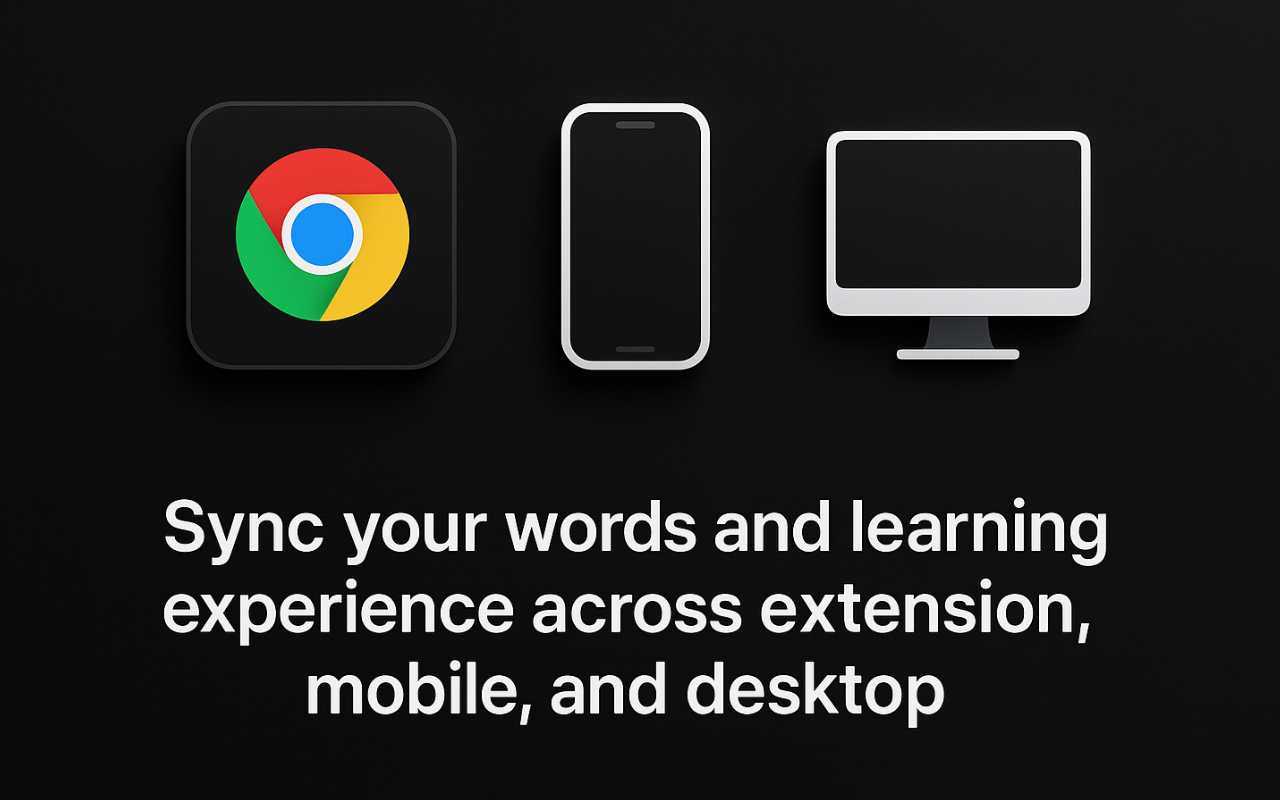
With our mobile app, you can access the words you saved from the extension or desktop app and use the Learning Center to learn new words. The iOS app is out, and the Android app will be released soon.
Desktop Application
Lingosive Desktop is now available! Easily capture text from anywhere on your screen, including games, and translate it instantly. Save words and sentences, and keep everything synchronized with your browser extension for seamless language learning.
Morphology Analysis Upgrade
Enhanced word analysis interface with grammatical classification features. Users can now view morphological properties such as noun, verb, pronoun, or interjection for selected words.
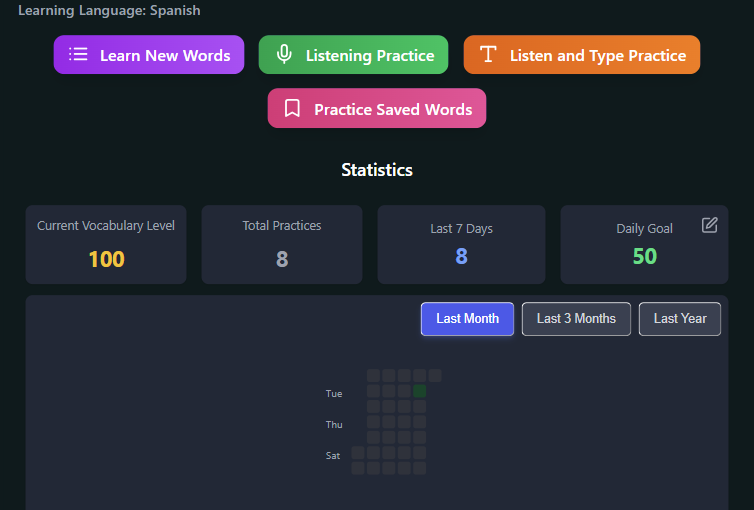
Learning Center Feature Added + Language Reactor Import
We've introduced our n ew Learning Center feature with exciting capabilities: - Word Learning Practice - Listening and Writing Exercises - Learning Statistics Dashboard - Subtitle Sentence Translation - instantly translate any subtitle line with a click - Import your vocabulary from Language Reactor - seamlessly transfer your existing word collection!